🔎
How to Find Conversion Id and Label
- Login to your Google Ads account.
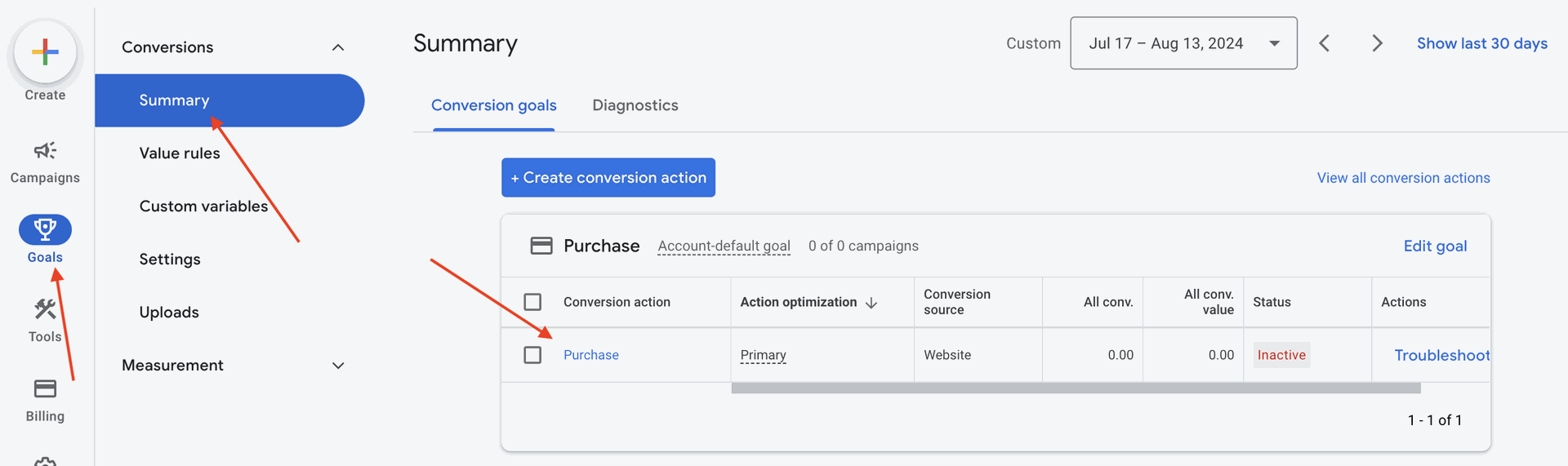
- Click Goals on the left menu. You will be able to see the existing conversions. Click on the conversion name under the Conversion action column.
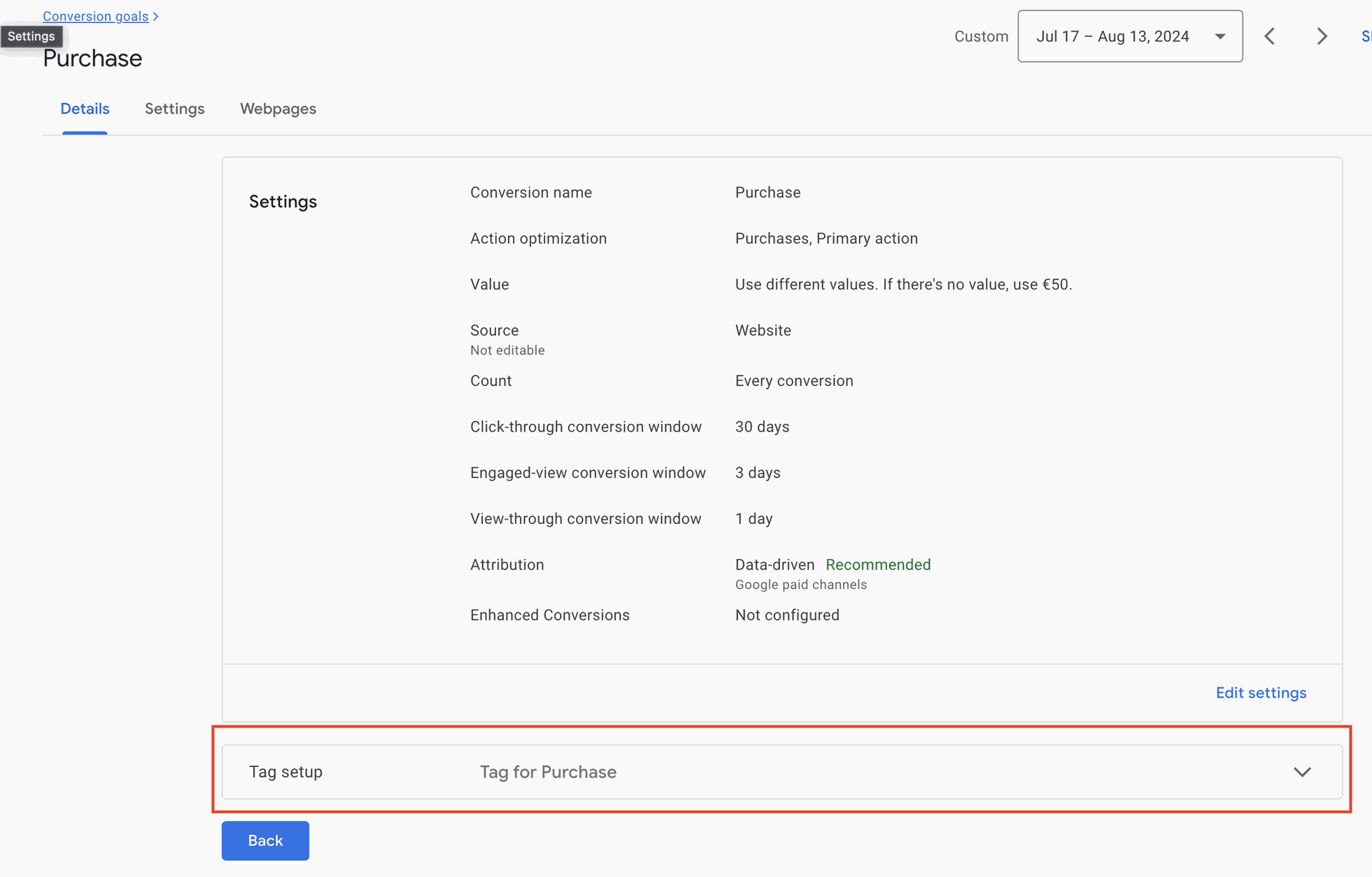
- You will see the details about the relevant conversion. Click on the Tag setup section.
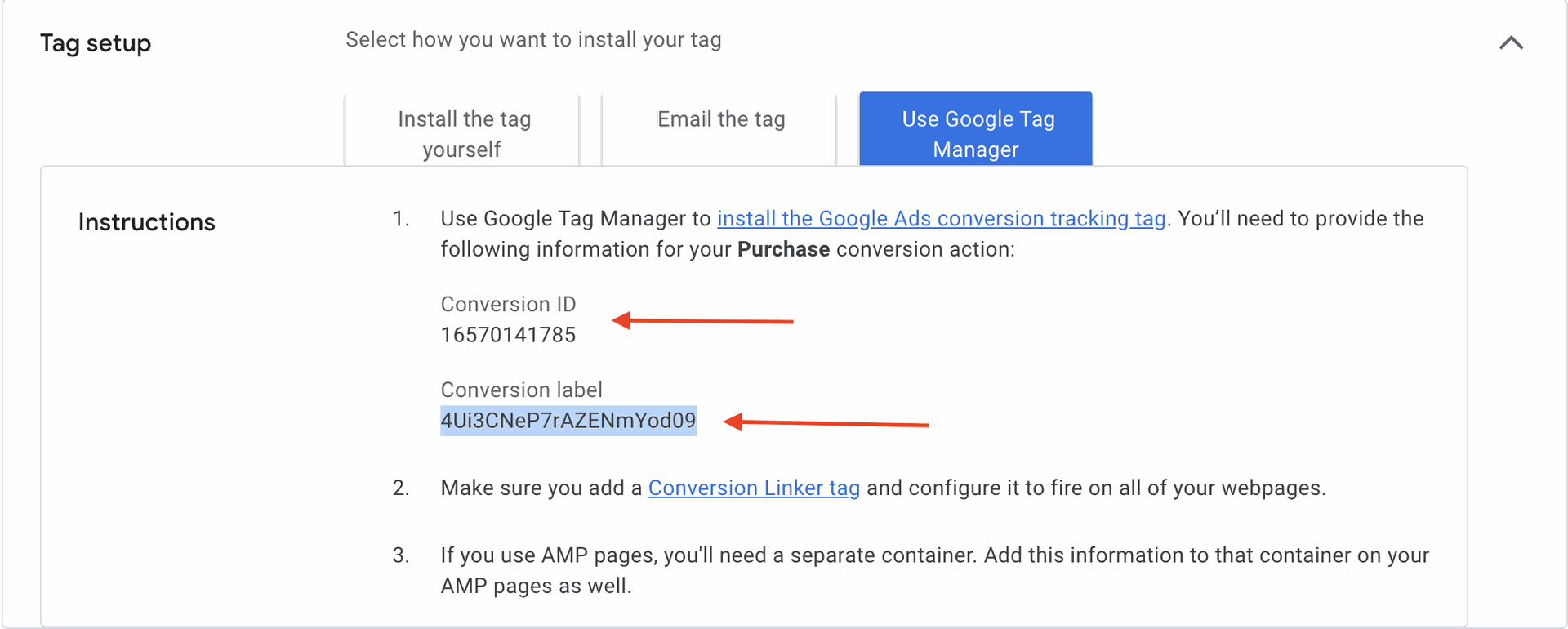
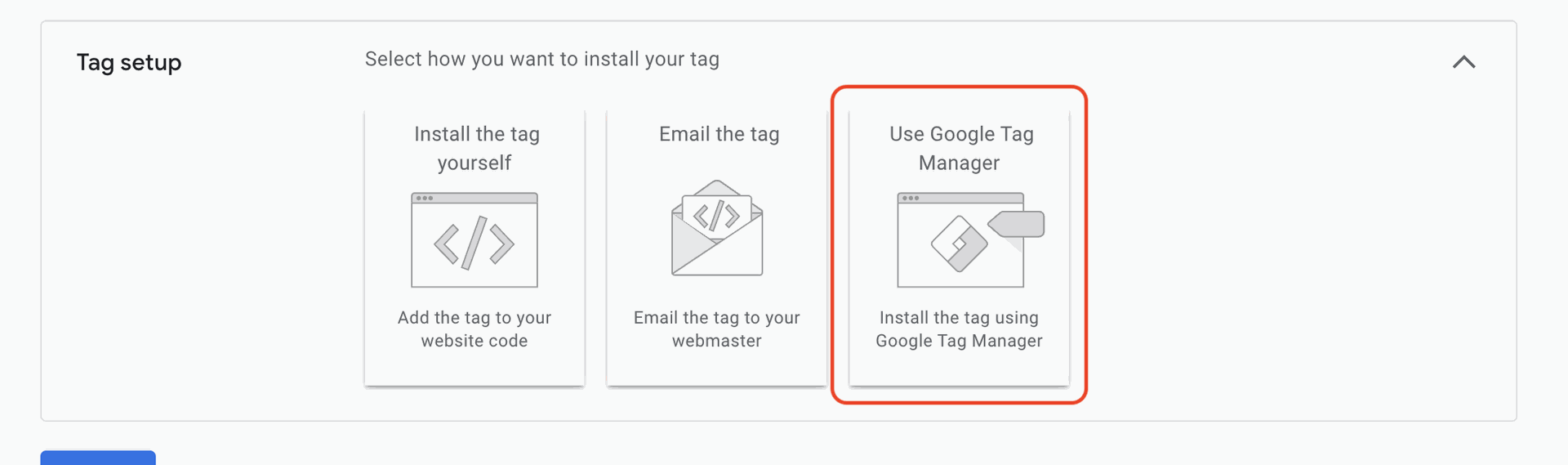
- You will see the 3 different instructions card. Select Google Tag Manager.
- You will see the conversion id and conversion label.